VEED AI Alternative for Shorts

Stella writes SwipeStory guides about AI faceless video creation, short-form video strategy, creator tools, and automated publishing workflows.
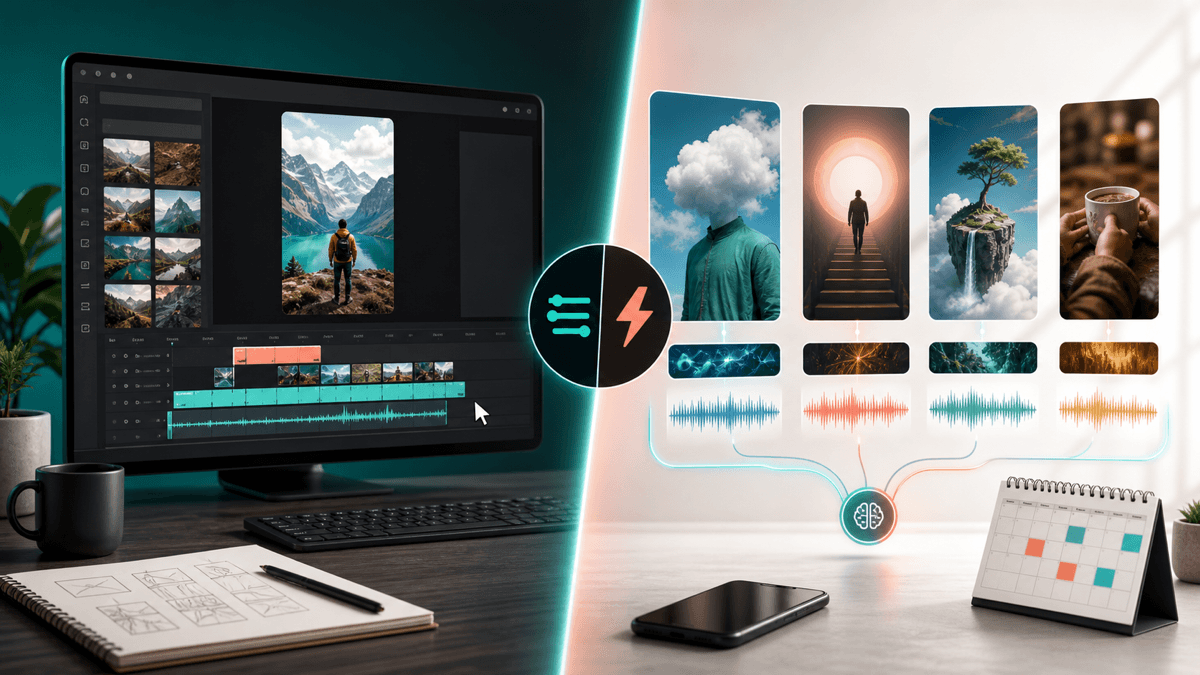
The best VEED AI alternative is SwipeStory when you want to create original faceless Shorts, TikToks, and Reels from a prompt or script instead of editing existing footage in a browser editor. VEED is stronger when you need a general-purpose online video suite for trimming, captions, collaboration, AI enhancements, repurposing, and brand polish. Choose SwipeStory when the bottleneck is the complete no-camera workflow: hook, script, visuals, voiceover, captions, music, rendering, repeatable series, and scheduled publishing.
Updated June 16, 2026. We checked VEED's current AI video editor, online video editor, AI video generator, AI clip generator, and pricing pages, plus SwipeStory's product pages, YouTube Shorts documentation, and TikTok ad specifications. VEED localizes pricing and packaging, so use this as a workflow comparison and verify the live checkout before buying.
Quick Verdict
| Need | Better fit | Why |
|---|---|---|
| Edit footage in a browser | VEED | Strong web editor, captions, transcript-style edits, exports, stock assets, and collaboration |
| Add AI polish to recorded clips | VEED | Auto Edits can clean audio, remove filler or silence, add subtitles, insert B-roll, and resize for platforms |
| Create original faceless videos from prompts | SwipeStory | Starts before footage exists and generates the short around a topic, script, voice, visuals, captions, and music |
| Build a recurring no-camera Shorts series | SwipeStory | Series-oriented workflow, rendering, and scheduled publishing fit repeatable content production |
| Need both editing and new video generation | Use both | Use VEED to polish recorded media and SwipeStory to create net-new faceless episodes |
If you already have footage, test VEED alongside the AI caption generator guide, CapCut AI alternative, and Submagic alternative. If you do not have footage yet, start with SwipeStory's faceless AI video generator, Script to Video AI, or the AI Shorts generator guide.
What VEED AI Does Well
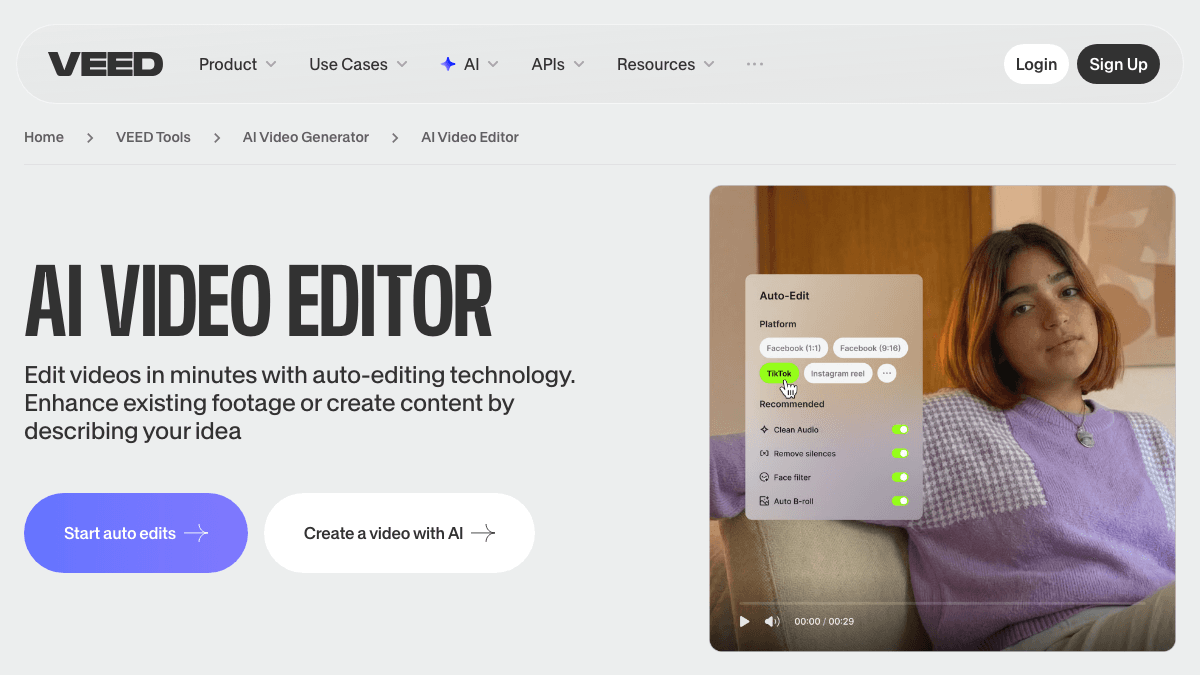
VEED's AI video editor page describes a tool that can enhance existing footage or create content from a described idea. Its public page says Auto Edits can remove unwanted pauses, clean audio, add subtitles, insert B-roll, and resize videos for platform-specific formats such as TikTok, Instagram, YouTube, and LinkedIn. It also says creators can type an idea into the AI video generator and get a complete video with voiceovers, matching visuals, and captions.
That means the honest comparison is not "VEED has editing and SwipeStory has AI." VEED has a lot of AI. The real difference is the workflow center of gravity.
VEED is strongest when:
- You already recorded talking-head footage, product clips, webinars, podcasts, demos, screen recordings, or social videos.
- You want a browser editor with drag-and-drop controls, transcript-based editing, subtitles, audio cleanup, B-roll, and export settings.
- You work with a team that needs shared projects, reviews, comments, brand kits, and reusable assets.
- You want one suite for many video types, not a short-form-only generator.
- You need to repurpose or polish a video that already exists.
VEED's online video editor page reinforces that broader suite positioning. It describes text-based editing, Auto Edits, subtitles, clean audio, B-roll insertion, social resizing, background noise removal, video background removal, voice cloning, AI avatars, translation, collaboration, and exports up to higher-quality paid tiers. That is a practical product for teams that need one cloud editor for many production jobs.
The limitation is fit. A broad editor can make an existing video better, and VEED's AI generator can help create videos from text. But if your day-to-day problem is "I need five faceless Shorts from ideas before I have any footage," you are now comparing an editor-led platform with a generation-first short-form workflow.
VEED Pricing Signals Checked June 16, 2026
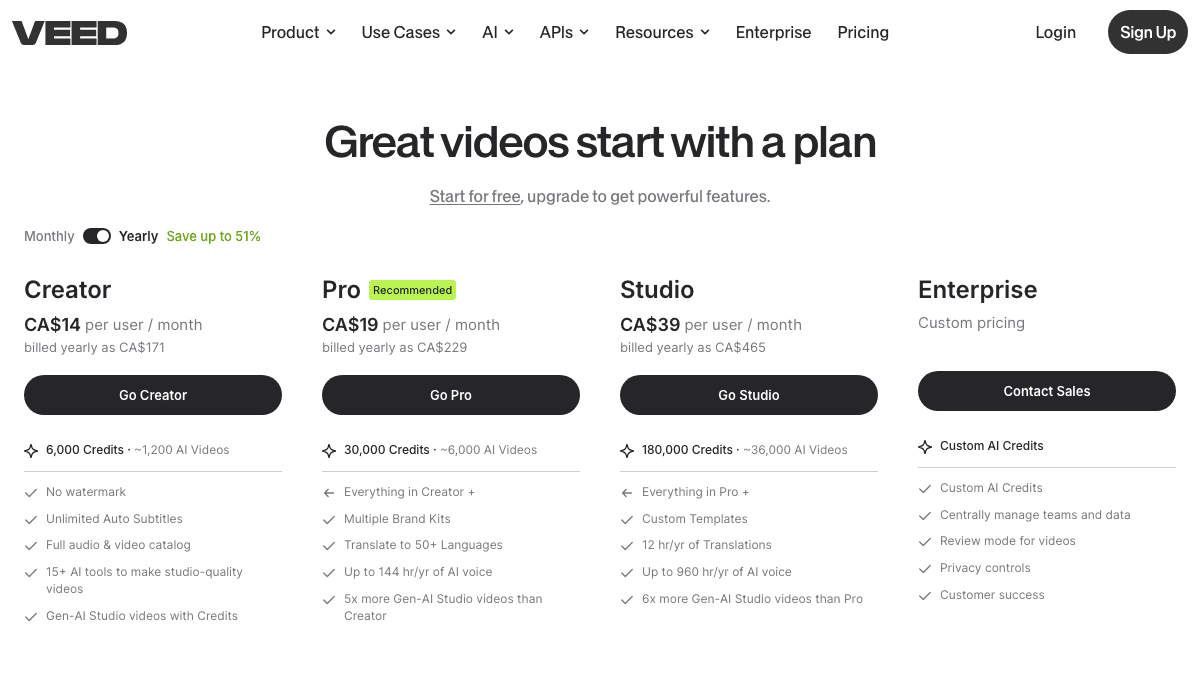
VEED's pricing page localizes currency and can change by region, plan experiment, billing interval, and checkout state. In this session, the live page rendered yearly billing in Canadian dollars and showed three self-serve plan cards plus Enterprise: Creator at CA$14 per user per month, Pro at CA$19 per user per month, Studio at CA$39 per user per month, and Enterprise as custom pricing.
The more useful comparison is the limit structure:
| Pricing signal from the rendered page | Creator | Pro | Studio |
|---|---|---|---|
| AI credits shown | 6,000 credits | 30,000 credits | 180,000 credits |
| Approximate AI video signal | About 1,200 AI videos | About 6,000 AI videos | About 36,000 AI videos |
| Visible export/caption signal | No watermark, unlimited auto subtitles | Everything in Creator plus more brand and translation features | Everything in Pro plus higher-scale AI and translation features |
| Workflow signal | Solo or light creator work | Recommended plan for more AI and brand work | Higher-volume studio and team use |
VEED's public pages also indicate that free exports include a watermark and that paid plans unlock watermark-free exports. The online editor page says paid plans can unlock 1080p to 4K exports, and the pricing page shows annual billing savings. Do not buy from a blog post number alone. Check the live pricing page in your region, then compare the billing model against your real production volume.
For SwipeStory, check the current pricing page before building a publishing cadence. SwipeStory's pricing model is tied to video generation volume, credits, series limits, AI voiceovers, captions, music, rendering, and automated posting. That is different from paying for a general editor because the expensive work is generating and shipping finished short-form drafts.
The practical buying questions are:
- Are you paying for editing access or for generated finished drafts?
- Do you already have footage, or do you need the video created from a prompt?
- Do plan limits map to your weekly output target?
- Do you need 4K browser editing, or do you mostly publish vertical mobile videos?
- Do you need scheduled series production or only exported files?
VEED vs SwipeStory
SwipeStory is the better VEED AI alternative when your starting point is an idea, niche, prompt, or finished narration. SwipeStory turns prompts or scripts into vertical videos with AI-generated visuals, voiceovers, captions, background music, editing, rendering, and scheduled publishing for TikTok, YouTube Shorts, and Instagram Reels.
VEED is broader. SwipeStory is more focused.
| Question | VEED | SwipeStory |
|---|---|---|
| What do you start with? | Footage, recordings, uploads, transcript edits, prompts, images, or AI model inputs | Topic, prompt, script, niche idea, or faceless series premise |
| Core job | Create, edit, enhance, repurpose, collaborate, and export videos in a browser | Generate original faceless vertical videos from scratch |
| Best user | Marketer, editor, educator, social team, agency, or creator with mixed video needs | Creator building repeatable no-camera TikToks, Shorts, and Reels |
| Captions | Strong subtitle, translation, and style workflow around edits | Captions are part of the generated video workflow |
| Voiceover | Text-to-speech, voice cloning, dubbing, and voice features inside a broad suite | AI voiceover generated with the short-form draft |
| Publishing workflow | Export/share and team review are strong; verify current social publishing needs | Scheduled publishing is part of the faceless series workflow |
The key distinction is input. VEED can help with both footage and AI generation, but many of its strongest pages still speak to editing, enhancing, and repurposing media. SwipeStory is built for the creator who does not want to record footage first.
For example, a marketing team with webinars, product demos, screen recordings, and testimonials should test VEED. The raw media already exists, and the job is to clean it up, add captions, translate, clip, resize, review, and export.
A creator building a daily "AI history facts" or "one-minute business breakdowns" channel has a different job. They need hooks, scripts, scenes, visuals, narration, captions, music, and a schedule. A full video editor can help at the end, but the main pain is creating enough good drafts from the idea pipeline. That is where SwipeStory fits.
The AI Video Editor for Shorts Decision
Most "VEED AI alternative" searches are really one of three decisions:
- "I need an easier online video editor than my current timeline."
- "I need AI captions, B-roll, clipping, and resizing for content I already recorded."
- "I need short-form videos without filming or editing every scene myself."
The first two are VEED-shaped problems. The third is a SwipeStory-shaped problem.
If the footage already exists, use VEED or another editor-first tool. Upload the clip, clean audio, remove silence, add subtitles, adjust safe zones, insert B-roll, apply brand styles, and export. The result should stay close to the original speaker or recording.
If the footage does not exist, an editor can become a place where hidden work piles up. You still need the premise, script, visuals, voiceover, captions, music, scene pacing, and publishing rhythm. A better button layout does not remove the blank-page problem.
That is why AI video prompts for Shorts, TikTok hook examples, and faceless YouTube channel ideas pair naturally with SwipeStory. The content system starts upstream from the edit.
What About VEED Clips?
VEED's AI clip generator page targets long-form repurposing. It describes uploading long-form content, customizing format, length, and caption style, then letting the clip maker analyze the video for social moments. VEED also says users can preview clips, fine-tune them in a transcript-based editor, add B-roll, background music, and logos, then export or continue editing.
That is a useful workflow when the source material exists:
| Starting point | Better category |
|---|---|
| A podcast recording | AI clipping and repurposing |
| A webinar | AI clip generator |
| A YouTube video archive | Long-form to Shorts workflow |
| A prompt list | Prompt-to-video generation |
| A finished narration script | Script-to-video AI |
| A daily no-camera channel | Faceless video generator with scheduling |
If you already publish long-form content, VEED Clips may be one of the first areas to test. If you do not have source footage, clipping tools will not create the content system for you. Start with Script to Video AI when the narration is ready, or use Prompt to Video when you only have the angle.
When VEED Is the Better Choice
Choose VEED when your workflow is editor-first:
- You have footage or long-form recordings.
- You want a browser editor instead of desktop editing software.
- You need auto subtitles, transcription, translation, B-roll, background noise removal, resizing, or branded exports.
- You collaborate with teammates, clients, reviewers, or other editors.
- You publish different video types, such as social clips, demos, training videos, sales videos, podcasts, and ads.
- You want one broad video workspace instead of a short-form-only tool.
For example, a B2B team that records one webinar and wants twenty social clips should probably test VEED before testing a faceless video generator. The raw content already exists. The job is extraction, cleanup, captions, branding, and review.
When SwipeStory Is the Better Choice
Choose SwipeStory when your workflow is generation-first:
- You do not have footage.
- You want to start with a topic, prompt, or approved script.
- You are building a faceless TikTok, YouTube Shorts, or Instagram Reels channel.
- You need AI-generated visuals, voiceover, captions, music, editing, rendering, and scheduling in one workflow.
- You care more about repeatable series output than manual timeline control.
- You want to review generated drafts instead of assembling every scene by hand.
For example, a creator building a daily "consumer psychology facts" channel should not need to record footage, search for stock clips, record narration, caption the edit, pick music, and rebuild a timeline every day. The production job is repeatable: choose topics, write hooks, generate scripts, make visuals, apply voice and captions, review, and schedule. That is the SwipeStory use case.
Use the faceless AI video generator for no-camera formats, AI TikTok video generator for TikTok-first posts, AI YouTube Shorts generator for Shorts, and AI Reel generator for Instagram-first videos.
Platform Checks Still Matter
No AI video editor removes the need for platform review. You still need to check length, aspect ratio, caption placement, safe zones, music rights, and publishing context.
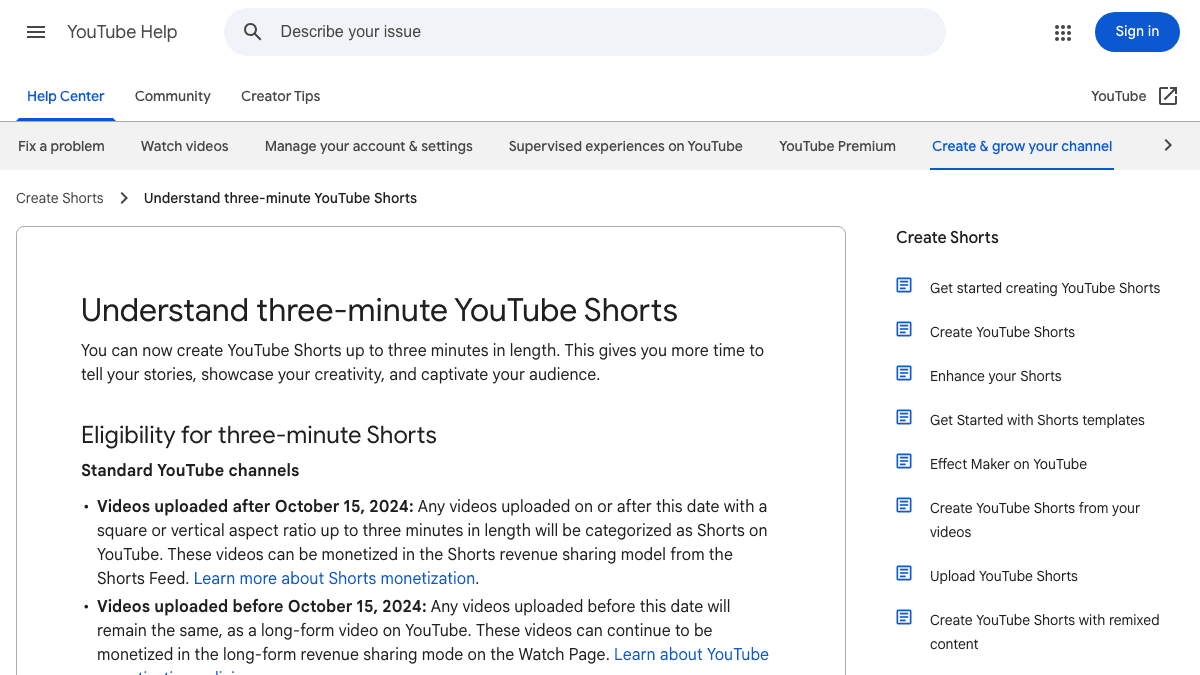
YouTube Help currently says videos uploaded after October 15, 2024 can be categorized as Shorts when they are square or vertical and up to three minutes long. It also says a Short over one minute with an active Content ID claim can be blocked globally until the claim is resolved. YouTube's getting-started page also notes that uploaded Shorts can have a maximum resolution of 1080p.
TikTok's in-feed ad specification page is ad-focused, but it is useful for production checks. Its March 2026 update lists vertical 9:16 as recommended for Non-Spark in-feed ads with at least 540 x 960 pixels, includes MP4 and MOV among supported formats, and points creators to safe zone files because captions, UI, and extra formats can affect what stays visible.
For VEED users, that means checking exported edits on a phone before publishing. For SwipeStory users, it means reviewing generated drafts before scheduling. The best workflow gets you to a reviewable vertical video faster, but it does not replace editorial judgment.
A Practical Switching Workflow
If you are using VEED today and want to test SwipeStory, do not migrate your entire process at once. Run a narrow comparison.
Use this split:
| Task | Use VEED | Use SwipeStory |
|---|---|---|
| Edit a recorded interview | Yes | No |
| Turn a webinar into clips | Yes | Maybe, for follow-up faceless posts |
| Clean audio and add subtitles to footage | Yes | No |
| Create an original no-camera short from a prompt | Maybe | Yes |
| Turn a finished narration into a complete vertical video | Maybe | Yes |
| Produce five episodes from a content calendar | Maybe | Yes |
| Review, export, and share a client video | Yes | No |
Then compare the workflows by practical criteria:
- How many usable drafts did you produce in one hour?
- Which workflow required more manual timeline work?
- Which output had clearer captions on a phone?
- Which output matched the platform format without extra resizing?
- Which workflow made it easier to publish again tomorrow?
- Which tool matched your real input: recorded footage or topic ideas?
If VEED is faster for footage you already own, keep using it. If SwipeStory is faster for ideas you have not recorded, use it for net-new faceless episodes and keep VEED for occasional finishing work.
Best VEED AI Alternatives by Use Case
SwipeStory is the best VEED AI alternative when the job is original faceless short-form generation. It is not the right answer for every VEED user.
Use this shortlist:
| Use case | Better tool category |
|---|---|
| Faceless Shorts from prompts or scripts | SwipeStory, prompt-to-video tools, script-to-video tools |
| Browser-based team editing | VEED, Descript, Kapwing, Canva-style editors |
| Long-form video clipping | VEED Clips, OpusClip, Klap, Vizard, quso.ai |
| Caption styling for recorded clips | VEED, Submagic, CapCut, Descript, Captions.ai |
| Avatar or presenter-led videos | VEED avatars, HeyGen, Synthesia, CapCut avatars |
| Manual mobile edits | CapCut or mobile-first editors |
| No-camera short-form series | SwipeStory plus a repeatable prompt and review workflow |
If your comparison is mostly about caption editing, read the Submagic alternative and AI caption generator for short videos guides. If your comparison is mostly about long-form repurposing, read the Klap alternative, Vizard AI alternative, and Vidyo.ai alternative guides.
Final Recommendation
Use VEED if you want a broad online video editor with AI creation, editing, captions, clipping, translation, collaboration, brand controls, and exports. It is especially useful when your footage already exists or your team needs one browser workspace for many kinds of videos.
Use SwipeStory if you want a VEED AI alternative for Shorts because you do not want to film or edit every video manually. It is better for creators building faceless TikTok, YouTube Shorts, and Instagram Reels series from prompts or scripts.
The simplest test is to create one video in each workflow. Take the same topic, build one version in VEED, then create one version in SwipeStory's faceless AI video generator. Compare review time, caption readability, voiceover fit, visual quality, edit time, and whether you would repeat the workflow tomorrow.
Frequently Asked Questions
What is the best VEED AI alternative for Shorts?
SwipeStory is the best VEED AI alternative when you want to create original faceless Shorts from a prompt or script. VEED is better when you already have footage and need browser-based editing, captions, clipping, collaboration, translation, and exports.
Is VEED AI free?
VEED has free access paths, but its public pages say free exports can include a watermark and that paid plans unlock watermark-free exports and higher-quality capabilities. Pricing can vary by region, billing interval, plan experiment, and checkout state, so verify the live pricing page before buying.
Is SwipeStory better than VEED?
SwipeStory is better for generation-first faceless short-form videos. VEED is better for editor-first workflows and broader video production. If you have footage, start with VEED. If you only have ideas or scripts, start with SwipeStory.
Can I use VEED and SwipeStory together?
Yes. A practical setup is to use SwipeStory for original faceless videos and VEED for occasional browser-based finishing, team review, or repurposing recorded clips.
Does VEED create videos from text?
Yes. VEED's AI video pages describe text-to-video workflows where users type an idea or prompt and generate videos with visuals, voiceovers, and captions. The difference is that VEED remains a broad video suite, while SwipeStory is focused on repeatable faceless short-form creation and scheduled publishing.
Sources
- VEED AI video editor
- VEED online video editor
- VEED AI video generator
- VEED AI clip generator
- VEED pricing
- SwipeStory faceless AI video generator
- SwipeStory pricing
- YouTube Help: Understand three-minute YouTube Shorts
- YouTube Help: Get started creating YouTube Shorts
- TikTok Ads Manager: In-feed ad specifications