
Vidyo.ai Alternative for AI Shorts

Stella writes SwipeStory guides about AI faceless video creation, short-form video strategy, creator tools, and automated publishing workflows.
The best Vidyo.ai alternative is SwipeStory when you want to create original faceless shorts from a prompt or script instead of clipping moments from videos you already recorded. Vidyo.ai now routes into quso.ai, a broader social media AI suite for clipping, captions, editing, scheduling, and content management. Choose quso/vidyo when your raw material is a podcast, webinar, interview, or long YouTube video. Choose SwipeStory when your bottleneck is the blank page: hook, script, visuals, voiceover, captions, music, rendering, repeatable series, and scheduled publishing for TikTok, YouTube Shorts, and Instagram Reels.
Updated June 13, 2026. We checked quso.ai's current homepage, AI Clips Generator page, pricing page, SwipeStory's homepage and pricing page, YouTube's current Shorts documentation, and TikTok's current in-feed ad specifications. Pricing and packaging change often, especially after product rebrands, so use this as a workflow buying guide and verify the live checkout screen before purchase.
Quick Verdict
| Need | Better fit | Why |
|---|---|---|
| Turn long videos into many clips | quso.ai / Vidyo.ai | The public pages focus on uploads, AI highlight selection, captions, resizing, editing, scheduling, and publishing |
| Create faceless shorts from an idea | SwipeStory | Starts with a prompt or script and builds the full vertical video around it |
| Repurpose podcasts, webinars, or interviews | quso.ai / Vidyo.ai | Existing speaker-led footage is exactly what an AI clipping tool is designed to process |
| Build a no-camera TikTok, Shorts, or Reels series | SwipeStory | Series creation, voiceover, captions, visuals, music, rendering, and scheduled publishing are the core workflow |
| Need both workflows | Use both deliberately | Clip long-form assets with quso/vidyo, then generate net-new faceless episodes with SwipeStory |
If you already record long-form content every week, test quso.ai first. If you do not have source footage yet, start with SwipeStory's faceless AI video generator, Script to Video AI, or the AI Shorts generator guide.
What Happened to Vidyo.ai?
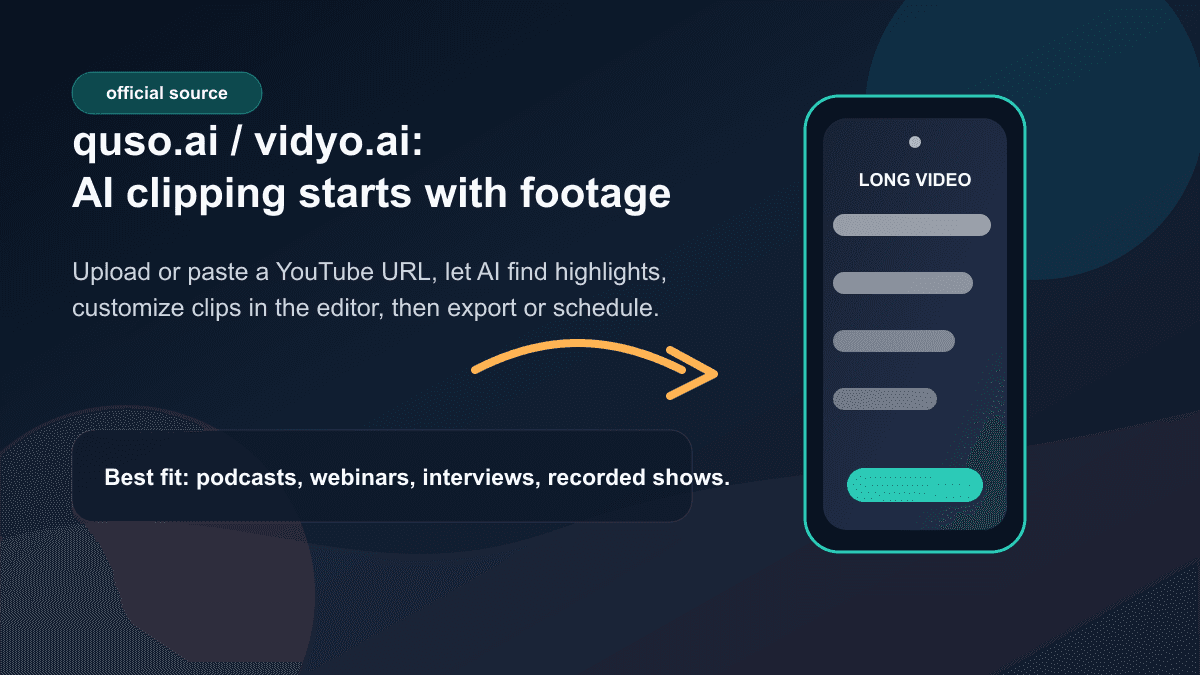
Vidyo.ai is no longer just a standalone AI clipping surface in the way many buyers remember it. The current quso.ai homepage is titled as quso.ai, "aka vidyo.ai," and its FAQ says vidyo.ai is now part of quso.ai. The same FAQ explains that vidyo.ai focused primarily on AI video editing and AI clipping, while quso.ai expands into a broader Social Media AI suite with content creation, scheduling, analytics, and video editing.
That matters for searchers comparing a Vidyo.ai alternative. You are not only comparing one clipper against another clipper. You are comparing a rebranded all-in-one social content suite against a generation-first faceless video workflow.
The current quso.ai homepage says the product can create and publish everywhere, generate AI clips, blogs, shownotes, captions, schedule content, and manage social media in one place. It lists AI video clipping, AI captions, an AI video editor, brand kit, social media scheduler, and long-video-to-short clipping. It also promotes scheduling across seven or more platforms and a set of tools for social posts, captions, analytics, and content planning.
On the AI Clips Generator page, the workflow is more specific:
- Upload a video or paste a YouTube URL.
- Let AI auto-generate the strongest clips.
- Customize clips in the built-in editor with captions, text overlays, branding, or effects.
- Export, share, or schedule the clips for later.
That is useful when the video already exists. It is less useful when the problem is "I need five original faceless short videos this week and have not recorded anything."
Vidyo.ai Pricing Checked June 13, 2026
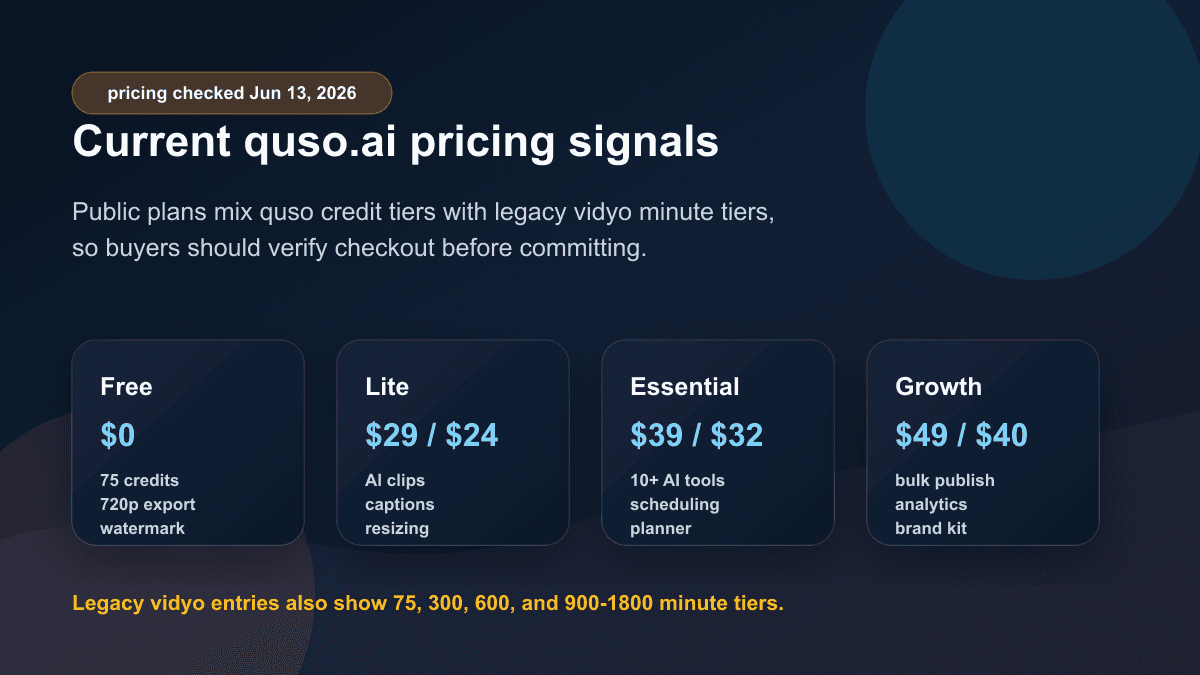
The public quso.ai pricing page currently exposes two layers of packaging: quso credit-based plans and legacy app.vidyo.ai minute-based plan entries. That is a strong reason to verify checkout before you buy.
The visible quso pricing block checked June 13, 2026 showed:
| Pricing signal | Visible public details |
|---|---|
| Free | $0/month, 75 credits per month, 720p render quality, AI clips and captions, watermark |
| Lite | $29/$24 per month in one pricing block, with AI clips, captions, video generator, resizing, and 1080p exports |
| Essential | $39/$32 per month in one pricing block, with premium access to 10+ AI tools, filler/silence removal, scheduling, and content planner |
| Growth | $49/$40 per month in one pricing block, with unlimited social post scheduling, bulk publishing, analytics, templates, and brand kit |
The same page also surfaced legacy vidyo-style entries such as Free at 75 minutes per month, Essential at 300 minutes per month, Growth at 600 minutes per month, and Custom at 900-1800 minutes per month. Later on the same page, the comparison table referenced 100, 300, and 600-1800 credits per month.
That mixture does not make quso.ai unusable. It simply means pricing needs closer review than a clean one-table SaaS page. If your workflow depends on long videos, compare upload minutes, credits, render quality, watermark rules, storage, scheduling, social accounts, brand kit, transcripts, and export resolution before committing.
For SwipeStory, the pricing page checked June 13, 2026 showed annual Summer Creator Sale pricing with Hobby at $16/month for 120 credits and one series, Creator at $31/month for 300 credits and two series, Influencer at $55/month for 600 credits and three series, and Studio at $174/month for 2,000 credits and five series. It also listed custom AI voiceovers, background music, auto-captions, no watermark, automated posting, and fast video generation across the visible plans. Because that was a time-limited sale ending June 14, 2026 at 11:59 PM, verify the current pricing page before comparing exact dollar amounts.
Vidyo.ai vs SwipeStory
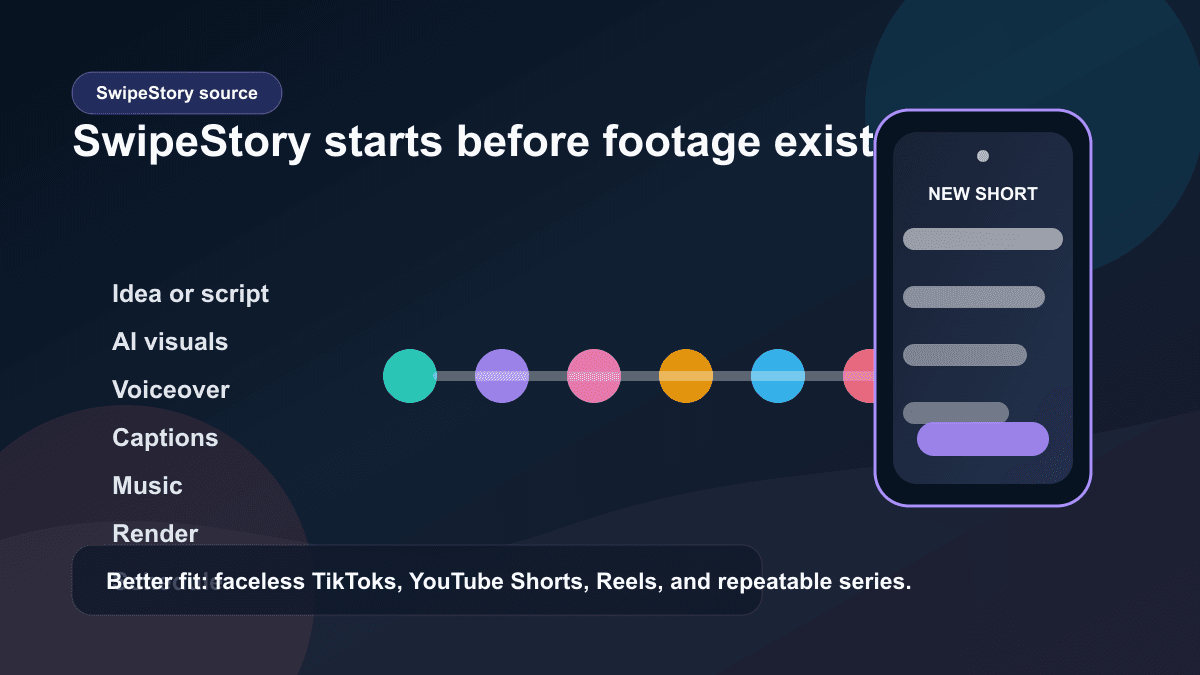
SwipeStory is the stronger Vidyo.ai alternative when your starting point is an idea, prompt, approved narration, or faceless channel premise. SwipeStory turns prompts or scripts into vertical videos with AI-generated visuals, voiceovers, captions, background music, editing, rendering, and scheduled publishing for TikTok, YouTube Shorts, and Instagram Reels.
SwipeStory's current homepage describes creating TikTok videos, publishing on YouTube, AI-generated voiceovers, background music, and fast cloud rendering. Its FAQ says you can create a series, connect accounts, and publish videos on autopilot. That matches a different buying intent than video clipping. The product is not asking you to bring a finished podcast or webinar. It is built for making the short itself.
The practical difference:
| Question | quso.ai / Vidyo.ai | SwipeStory |
|---|---|---|
| What do you start with? | Long videos, uploaded files, or YouTube links | A topic, prompt, script, or faceless series premise |
| Core job | Clip, caption, resize, edit, and schedule existing footage | Create original faceless vertical videos from scratch |
| Best user | Podcaster, webinar host, coach, interviewer, or long-form creator | Creator building repeatable no-camera TikToks, Shorts, and Reels |
| Caption role | Part of transcript, clipping, subtitle, and editing workflow | Part of the generated video's complete production workflow |
| Visuals | Mostly source-footage driven, with editing and B-roll support | AI-generated visuals and styles are part of the draft |
| Publishing | Public pages describe scheduling and management across platforms | Scheduled publishing is part of faceless video series production |
If you are comparing tools because you want fewer editing steps before publishing, test SwipeStory's AI YouTube Shorts generator, AI TikTok video generator, and AI Reel generator. If your channel is intentionally no-camera, the faceless AI video generator is the cleanest first page to test.
The Workflow Difference Matters More Than the Feature List
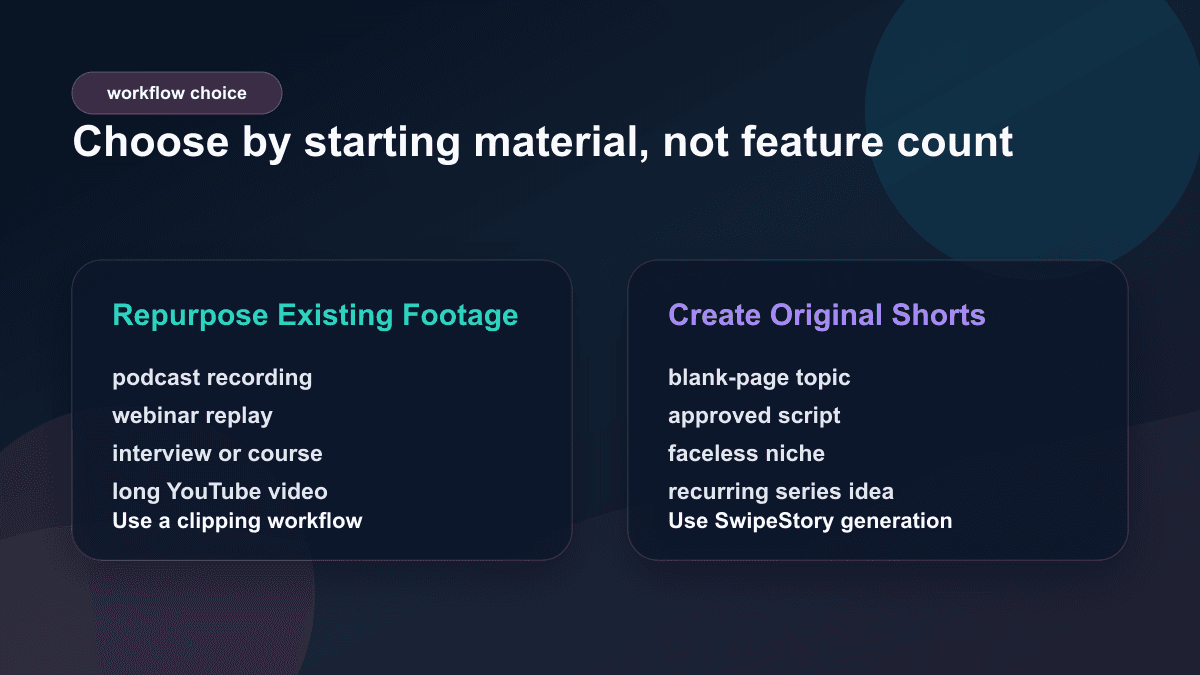
Most Vidyo.ai alternative searches combine two different jobs:
| Starting point | Better category |
|---|---|
| A two-hour podcast | AI clipping and repurposing |
| A webinar recording | AI highlight extraction, captions, and reframing |
| A finished YouTube video | Long-form to Shorts repurposing |
| A blank page and a niche idea | Prompt-to-video or faceless AI video generation |
| A final 120-word narration | Script-to-video AI |
| A daily no-camera content series | Faceless video generator with scheduling |
Buying the wrong category creates hidden work. If you buy a clipping tool with no footage, you still need to film or record something before the tool can help. If you buy a prompt-to-video tool while sitting on hundreds of recorded interviews, you may ignore the fastest asset you already own.
That is why SwipeStory is not simply "vidyo.ai with different features." It is better when the content does not exist yet. quso/vidyo is better when the source footage exists and you need AI to find, format, caption, and publish the strongest moments.
Who Should Choose quso.ai / Vidyo.ai
Choose quso.ai or the legacy vidyo workflow if your production system is repurposing-first:
- You already record podcasts, interviews, webinars, courses, livestreams, or long YouTube videos.
- Your best short-form ideas are buried inside existing footage.
- You want AI to find highlights instead of manually scrubbing timelines.
- You need auto resizing for TikTok, Instagram, YouTube, or other short-form placements.
- You care about captions, templates, brand kit, transcripts, scheduling, and social account management around repurposed clips.
- You can review extracted clips for context, rights, accuracy, and platform fit before publishing.
For example, a coach with a weekly one-hour YouTube interview should not start by generating unrelated faceless videos. The fastest distribution asset is the interview library. A clipping tool can turn the strongest answers into Shorts, Reels, TikToks, LinkedIn posts, and newsletter embeds.
Who Should Choose SwipeStory
Choose SwipeStory if your production system is generation-first:
- You do not have source footage.
- You want to start with a topic, hook, prompt, or approved script.
- You need AI-generated visuals, voiceover, captions, music, rendering, and scheduled publishing in one workflow.
- You publish across TikTok, YouTube Shorts, and Instagram Reels.
- You want repeatable series organization instead of one-off clip exports.
- You are building a faceless channel where filming is not part of the process.
For example, a creator building a daily "strange history in 45 seconds" channel does not need AI to find clips inside a webinar. They need hooks, short scripts, a consistent voice, relevant visuals, readable captions, background music, and a way to schedule the next week of episodes. SwipeStory fits that job because the video starts from the premise, not from recorded material.
Platform Rules Still Need Review
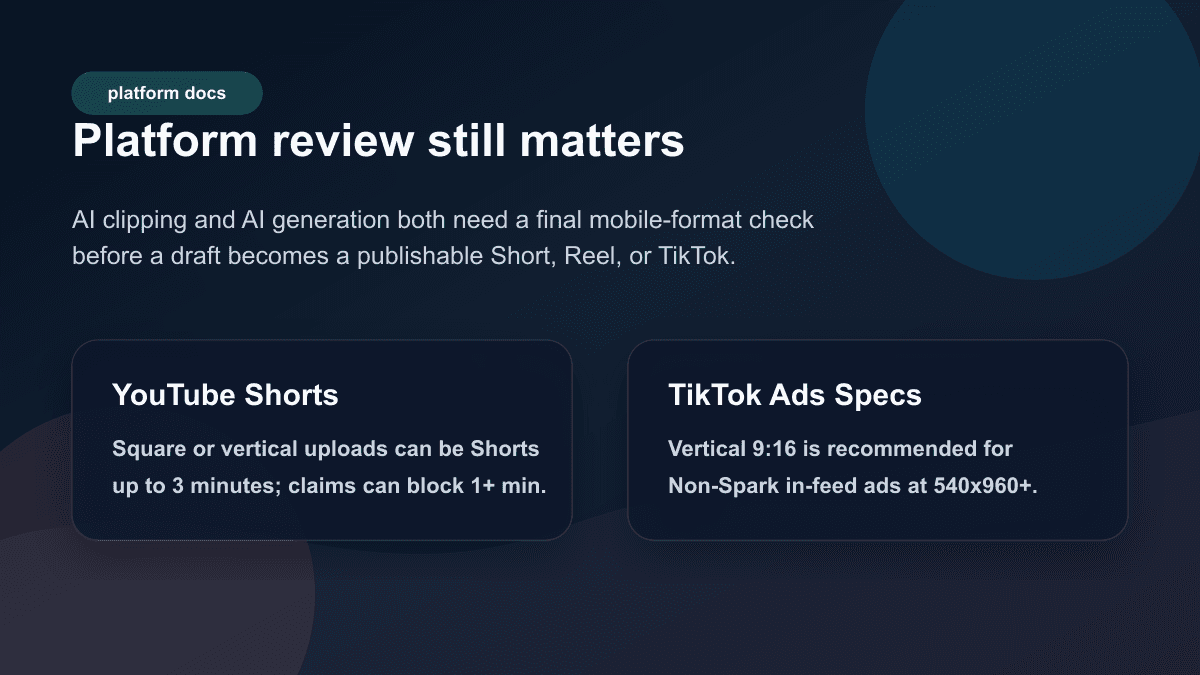
Both AI clipping and AI generation need a final platform review. YouTube Help currently says videos uploaded on or after December 8, 2025 with a square or vertical aspect ratio up to three minutes in length will be categorized as Shorts. It also says any Short over one minute with an active Content ID claim of any type, including manual claims, will be blocked globally until the claim is resolved.
TikTok's current in-feed ad specifications, last updated March 2026, say vertical Non-Spark ad creatives are recommended at 9:16 and at least 540 x 960 pixels. The same page includes safe-zone guidance because app controls, captions, profile elements, and anchors can cover important parts of a video. Organic TikTok posts and ad specs are not identical, but the production lesson is the same: review captions, faces, hooks, product shots, and CTAs on a phone-sized frame before publishing.
Before approving either a clipped draft or a generated draft, check:
- Does the hook make sense in the first seconds?
- Are captions readable and away from bottom controls?
- Is the important speaker, product, or visual centered in vertical crop?
- Are music, source clips, B-roll, and voiceover rights clear?
- Does the clip still make sense without the original long-form context?
- Is the final length right for the destination?
The best Vidyo.ai alternative is not the tool with the longest feature list. It is the workflow that produces drafts you can approve quickly after reviewing format, rights, pacing, captions, and message fit.
Buying Checklist Before You Switch
Use this checklist before choosing vidyo.ai, quso.ai, SwipeStory, or another AI video clipping tool:
- Define the raw material. Are you starting with long recordings, short clips, scripts, images, or only topic ideas?
- Match the category. Use clipping for existing footage. Use prompt-to-video or script-to-video when the video does not exist yet.
- Check limits that map to your workflow. For quso/vidyo, inspect credits, minutes, render quality, watermarks, storage, scheduling, transcripts, and export rules. For SwipeStory, inspect credits, series limits, generation quality, voiceover, captions, and platform coverage.
- Run a five-output test. One clip or one generated short is not enough. Create five outputs and measure review time.
- Review on a phone. Desktop previews can hide caption crowding, bottom overlay conflicts, and weak first-frame hooks.
- Count hidden work. Repurposing still requires source footage. Generation still requires topic judgment, fact review, and creative direction.
- Avoid feature-list buying. The better tool removes the bottleneck you actually have.
A Practical SwipeStory Workflow If You Are Moving From Vidyo.ai
If you tried vidyo.ai or quso.ai and realized your real problem is original short-form creation, use this workflow in SwipeStory:
- Pick one repeatable premise, such as "AI tools in plain English," "one-minute founder lessons," or "strange history facts."
- Write five hooks using the TikTok hook examples guide.
- Turn the strongest hook into a 90- to 140-word script with one idea per scene.
- Generate the first video draft with a consistent voice, visual style, caption approach, and music direction.
- Review factual claims, visual relevance, pacing, caption timing, and CTA.
- Schedule the finished short, then create four more episodes with the same structure.
- Compare completion rate, saves, comments, and production time before changing the format.
The point is not to remove judgment. It is to remove repetitive production friction so you can spend more time choosing better topics, writing tighter hooks, and improving the series.
Best Vidyo.ai Alternatives To Consider
1. SwipeStory: Best for Faceless AI Shorts From Prompts
SwipeStory is the best Vidyo.ai alternative if you want original faceless videos from ideas or scripts. It is strongest for no-camera channels, educational shorts, story videos, platform-specific drafts, and creators who want publishing connected to the same workflow.
Start with faceless AI video generator for no-camera formats, Script to Video AI when narration is final, or AI video prompts for Shorts when you need stronger prompt structures before generation.
2. Klap: Better if You Only Need Long-Form Clipping
Klap is another clipping-first product to compare if your main workflow is turning long videos into many short clips. It makes sense for podcasts, interviews, webinars, livestreams, and talking-head YouTube videos. Read the Klap alternative for AI Shorts guide if you are deciding between a clipper and a generation-first workflow.
3. Vizard AI: Another Repurposing-First Option
Vizard AI is also a repurposing-focused product for creators with existing long-form assets. If your comparison includes transcript editing, highlight extraction, captions, and smart vertical cropping, read the Vizard AI alternative guide before you choose.
4. Keep quso.ai / Vidyo.ai if Repurposing Is the Real Job
Do not switch just because a faceless generator has a cleaner blank-page workflow. If you already have source footage and quso/vidyo is producing usable clips quickly, stay with the repurposing category. Add SwipeStory only when you also need net-new short videos that do not depend on recorded material.
Final Recommendation
SwipeStory is the best Vidyo.ai alternative for creators who want prompt-or-script-to-published-video creation for faceless TikToks, YouTube Shorts, and Instagram Reels. It is the better fit when the content does not exist yet and the bottleneck is building a repeatable no-camera short-form series.
quso.ai, formerly vidyo.ai, remains a better fit when the workflow starts with existing recordings. Its official pages show a clear focus on AI clipping, captions, resizing, editing, scheduling, content planning, brand kit, analytics, and social media management. The decision is not "which tool has more features." The decision is whether you need to repurpose existing footage or generate original short-form videos from scratch.
If you are deciding today, run this test: use quso.ai on one existing long video, then use SwipeStory's faceless AI video generator on one blank-page topic. Compare final quality, review time, caption readability, visual fit, publishing workflow, and how easily you can create the next four videos. That will tell you which workflow actually fits your content system.
Frequently Asked Questions
What is the best Vidyo.ai alternative?
SwipeStory is the best Vidyo.ai alternative when you want to create original faceless shorts from prompts or scripts. quso.ai/vidyo is still a better fit when you already have long videos and want AI to clip, caption, resize, and schedule them.
Is Vidyo.ai now quso.ai?
Yes. The current quso.ai homepage and FAQ describe vidyo.ai as part of quso.ai. The current product positioning is broader than video clipping: social media AI, clipping, captions, scheduling, analytics, content planning, and editing.
Should I use an AI clipping tool or an AI video generator?
Use an AI clipping tool when your best content already exists as long-form footage. Use an AI video generator when you are starting with a topic, prompt, script, or faceless series idea and need the video created from scratch.